10 top Gemini AI photo editing prompts
Here are some of the most effective and versatile prompts to get you started with Gemini AI:
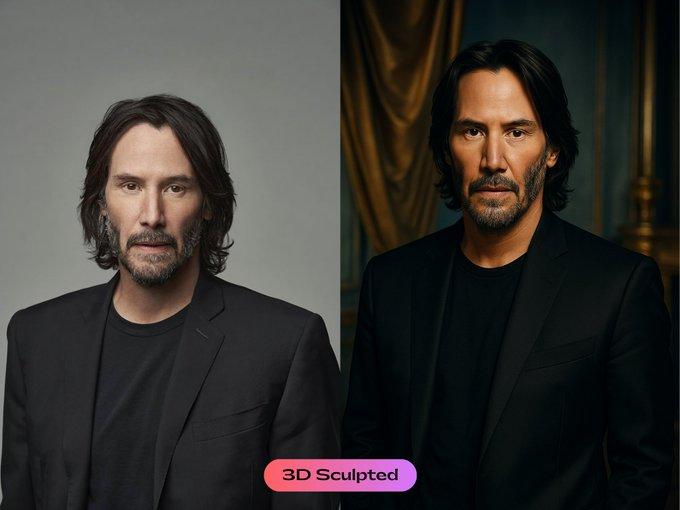
Adjust the mood: Want to change the overall feel of your image? Try a prompt like, "Change the mood to a cheerful and bright morning" or "Give the photo a dark and mysterious atmosphere." This is a quick way to completely alter the emotion of your shot.
Enhance colours naturally: Make your photos pop without looking over-edited. Use a prompt such as, "Make the colours more vibrant and saturated without looking unnatural." This works wonders for landscapes, food photography, and street scenes.
Remove distractions: Clean up your photo by removing unwanted elements. Simply type, "Remove the power lines from the background" or "Delete the trash can near the subject." This is one of the most practical and powerful uses of AI editing.
Create a professional portrait effect: Get that popular "bokeh" effect without a professional camera. Prompt the AI to "Blur the background to create a shallow depth of field, making the main subject stand out."
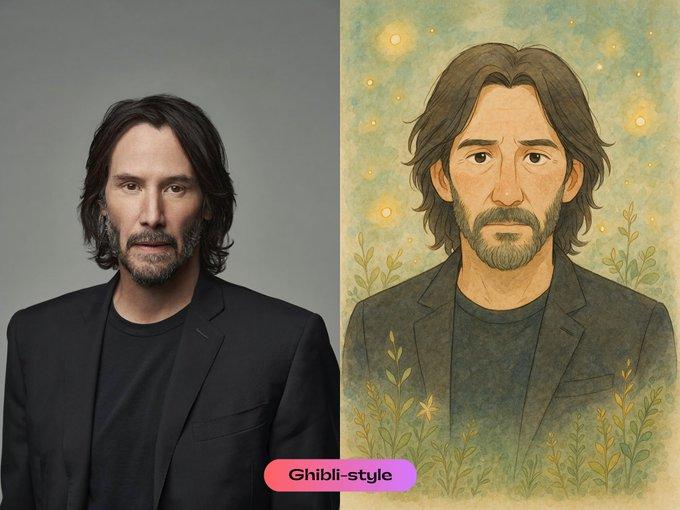
Apply artistic styles: Transform your photo into a work of art. You can use prompts like, "Transform the photo into a watercolour painting" or "Convert the image into a charcoal sketch."
Add realistic atmospheric effects: Give your image a touch of magic with natural elements. Try "Add a gentle morning mist to the scene" or "Incorporate soft, gentle snowfall into the image."
Sharpen key details: Highlight specific textures and patterns in your photos. Use a prompt such as, "Enhance the texture of the stone wall to make it sharper" or "Emphasise the fine lines in the fabric."
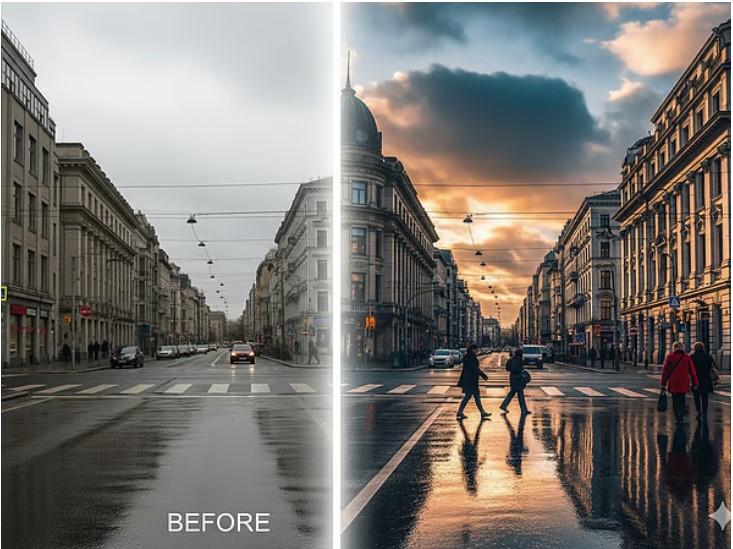
Replace elements drastically: Change a key part of your image to create a dramatic new look. A simple prompt like "Replace the cloudy sky with a fiery sunset" or "Change the water to a clear turquoise" can have a huge impact.
Generate realistic elements: Add a sense of realism and depth. You can ask the AI to "Generate a gentle reflection on the water" or "Add a subtle shadow under the object."
Apply vintage filters: Give your photos a timeless, nostalgic look. A prompt like "Give the photo a timeless vintage feel with a soft sepia tone and a subtle vignette" is perfect for creating a classic aesthetic.
These prompts act as a starting point, but the true power of AI lies in your creativity.
10 top Gemini AI photo editing prompts
Here are some of the most effective and versatile prompts to get you started with Gemini AI:
Adjust the mood: Want to change the overall feel of your image? Try a prompt like, "Change the mood to a cheerful and bright morning" or "Give the photo a dark and mysterious atmosphere." This is a quick way to completely alter the emotion of your shot.
Enhance colours naturally: Make your photos pop without looking over-edited. Use a prompt such as, "Make the colours more vibrant and saturated without looking unnatural." This works wonders for landscapes, food photography, and street scenes.
Remove distractions: Clean up your photo by removing unwanted elements. Simply type, "Remove the power lines from the background" or "Delete the trash can near the subject." This is one of the most practical and powerful uses of AI editing.
Create a professional portrait effect: Get that popular "bokeh" effect without a professional camera. Prompt the AI to "Blur the background to create a shallow depth of field, making the main subject stand out."
Apply artistic styles: Transform your photo into a work of art. You can use prompts like, "Transform the photo into a watercolour painting" or "Convert the image into a charcoal sketch."
Add realistic atmospheric effects: Give your image a touch of magic with natural elements. Try "Add a gentle morning mist to the scene" or "Incorporate soft, gentle snowfall into the image."
Sharpen key details: Highlight specific textures and patterns in your photos. Use a prompt such as, "Enhance the texture of the stone wall to make it sharper" or "Emphasise the fine lines in the fabric."
Replace elements drastically: Change a key part of your image to create a dramatic new look. A simple prompt like "Replace the cloudy sky with a fiery sunset" or "Change the water to a clear turquoise" can have a huge impact.
Generate realistic elements: Add a sense of realism and depth. You can ask the AI to "Generate a gentle reflection on the water" or "Add a subtle shadow under the object."
Apply vintage filters: Give your photos a timeless, nostalgic look. A prompt like "Give the photo a timeless vintage feel with a soft sepia tone and a subtle vignette" is perfect for creating a classic aesthetic.
These prompts act as a starting point, but the true power of AI lies in your creativity.